GreenFingers
Designing an IoT remote
garden management
system
Designing an IoT remote
garden management system
A self initiated project as part of my university course. The project covers the UX/UI and backend of a mobile app that uses IoT and the cloud.
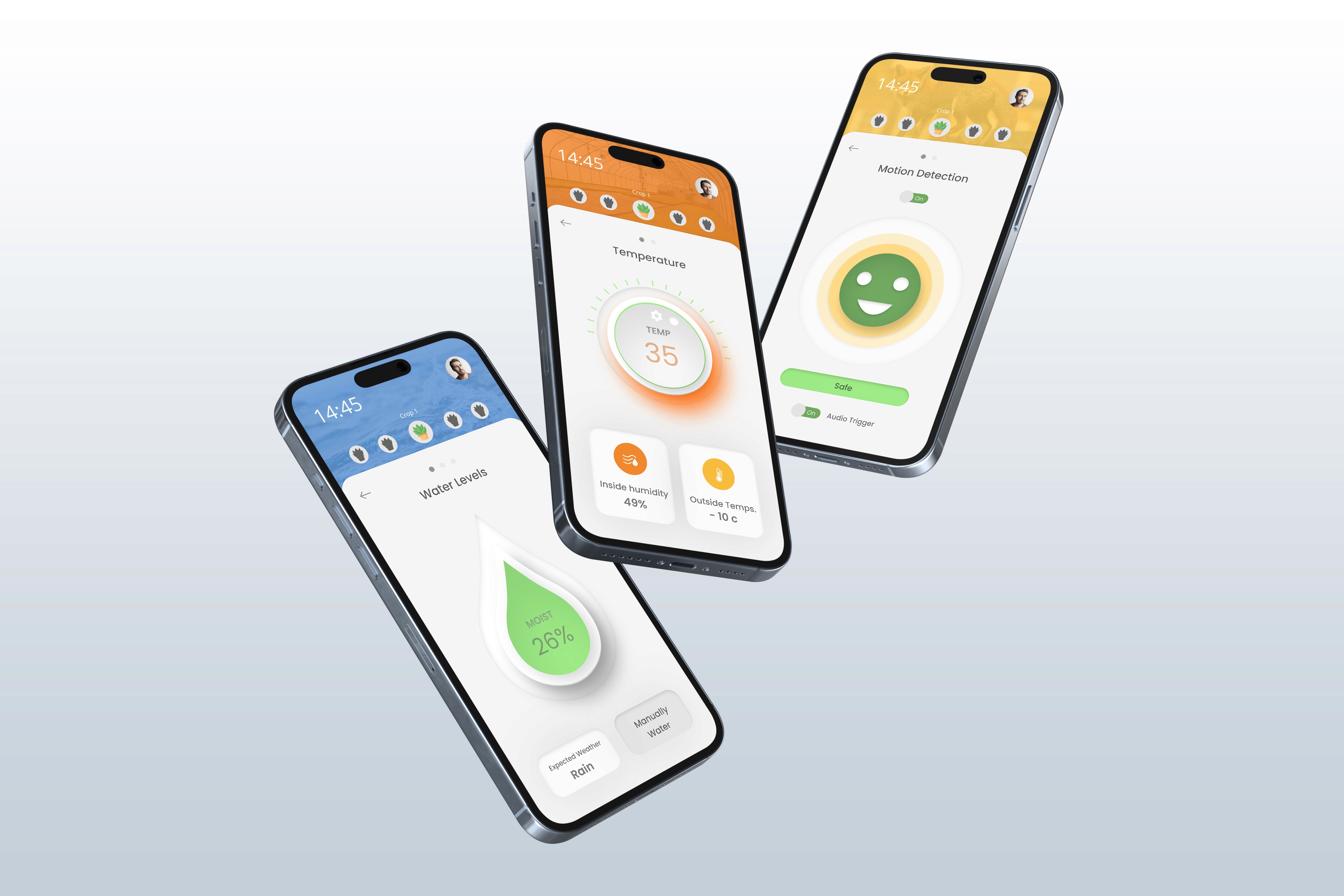
I designed a web/mobile application for a garden management system. The application is powered by Internet of Things systems, allowing data to be observed and calculated in the garden using sensors. This information is then visualised through the phone app.
Tools Used

Adobe XD

Adobe Illustrator

IBM Watson

Miro
Miro
Sector
Agriculture
Agriculture
Agriculture
Area of focus
UX/UI Design
Mobile Design
UX/UI Design
Mobile Design
Timeline
2022 - 2023
2022 - 2023
2022 - 2023
Skills
Wireframing
Wireframing
Wireframing
Interactive Prototyping
Interactive Prototyping
Interactive Prototyping
Iconography
Iconography
Iconography
Typography
Typography
Typography
layout
layout
layout
Branding
Branding
Branding
Hierarchy
Hierarchy
Hierarchy
User Flows
User Flows
User Flows
User Research & Testing
User Research & Testing
User Research & Testing
The Problem
The Problem
Most Londoners struggle with maintaining their garden crops as their lifestyles are so busy and activity-filled. The reality of gardening is that it is a job in its own right, as crops require care and attention to water them daily or even twice a day, to protect them from wildlife and pesticides.
Most Londoners struggle with maintaining their garden crops as their lifestyles are so busy and activity-filled. The reality of gardening is that it is a job in its own right, as crops require care and attention to water them daily or even twice a day, to protect them from wildlife and pesticides.
The Solution
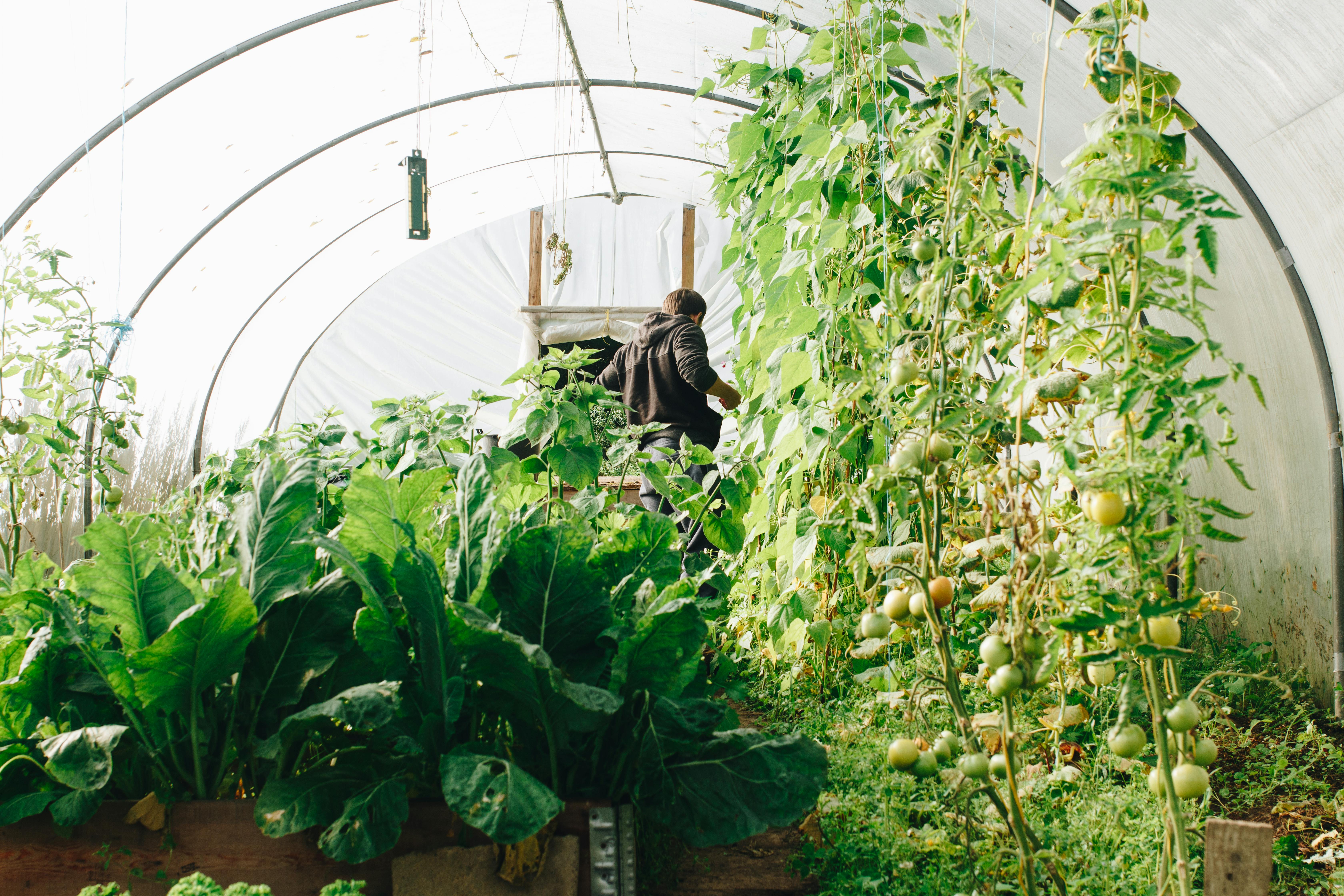
Sensors can be placed around the gardens, which can feed data via IoT systems to the web, then in turn to the mobile,e which can be visualised and looked at anywhere away from your home. Various systems can be connected to the app, like water irrigation and noise to warn off predators like foxes or any other wildlife. Heat controllers via the app will allow you to change the temperature or humidity of a greenhouse when needed.

The Design Process
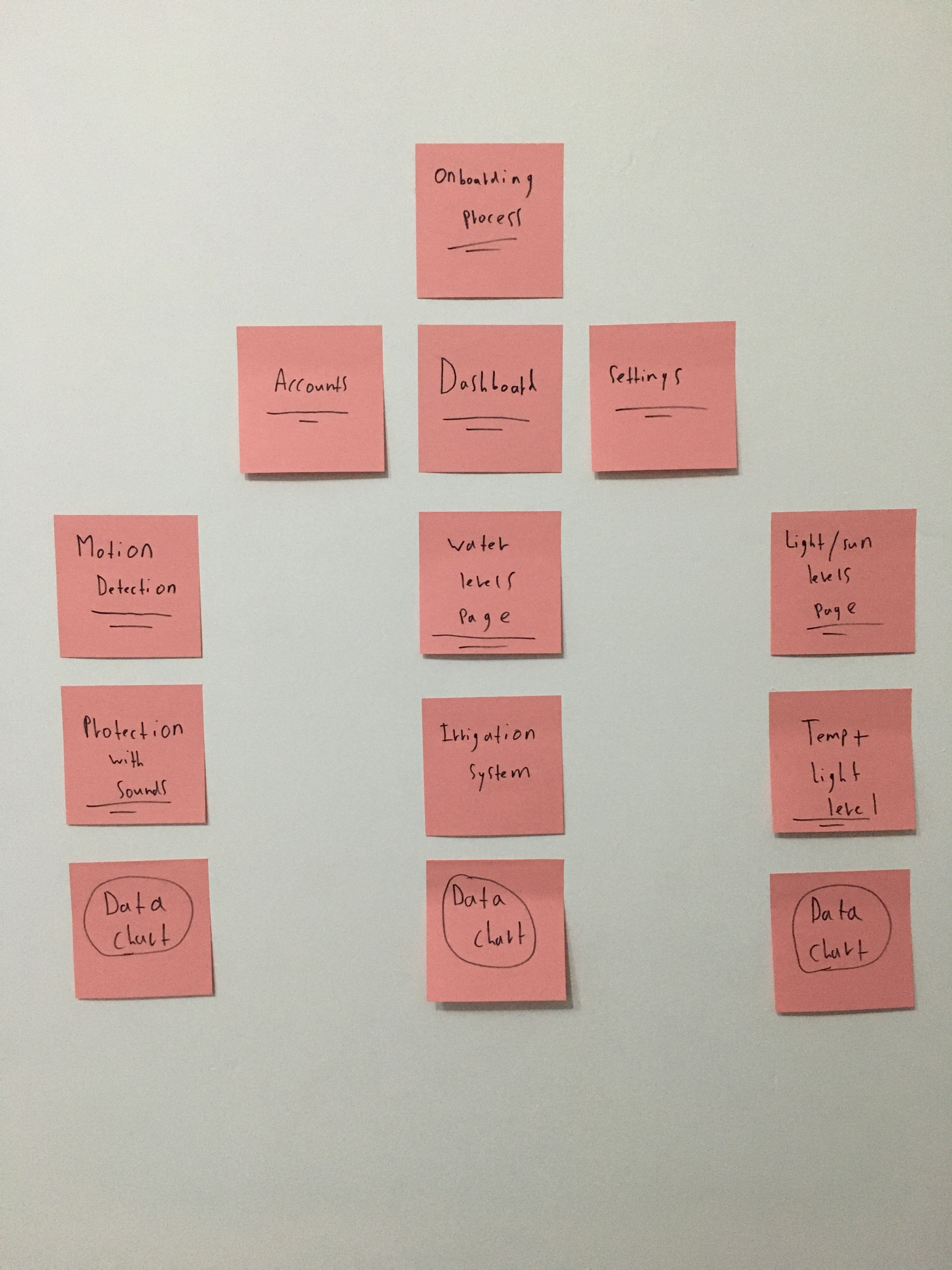
Once research was carried out and personas were established, I began by creating a moodboard that laid out my design thinking. I used post prototyping to initially visualize the scenarios' flows and background processes.

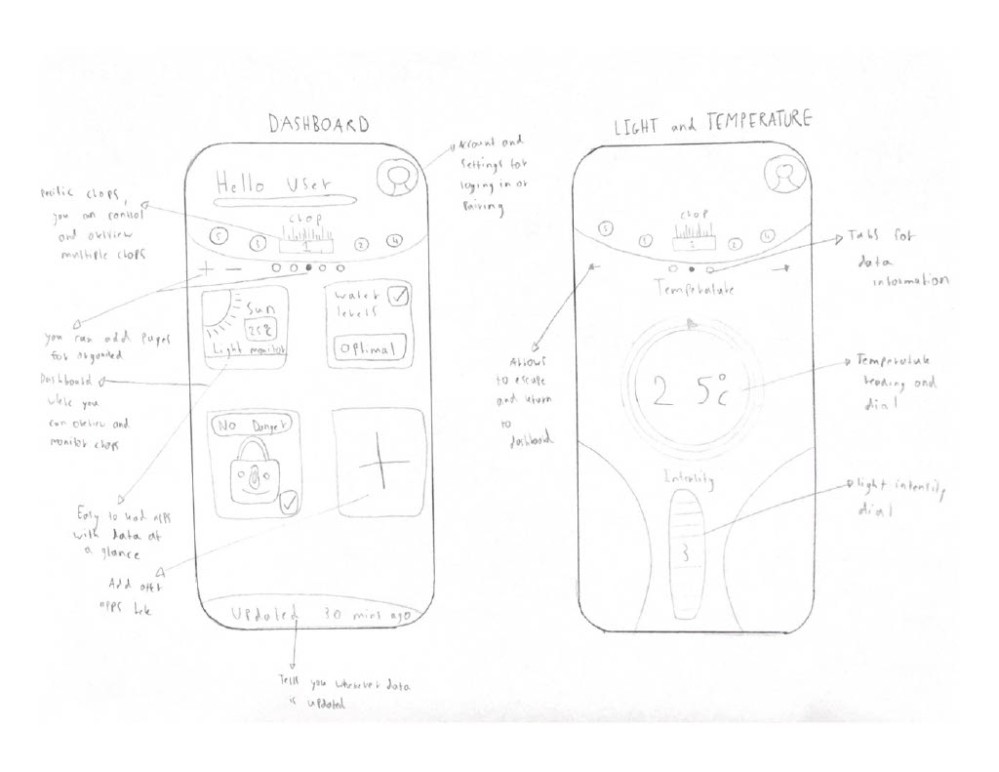
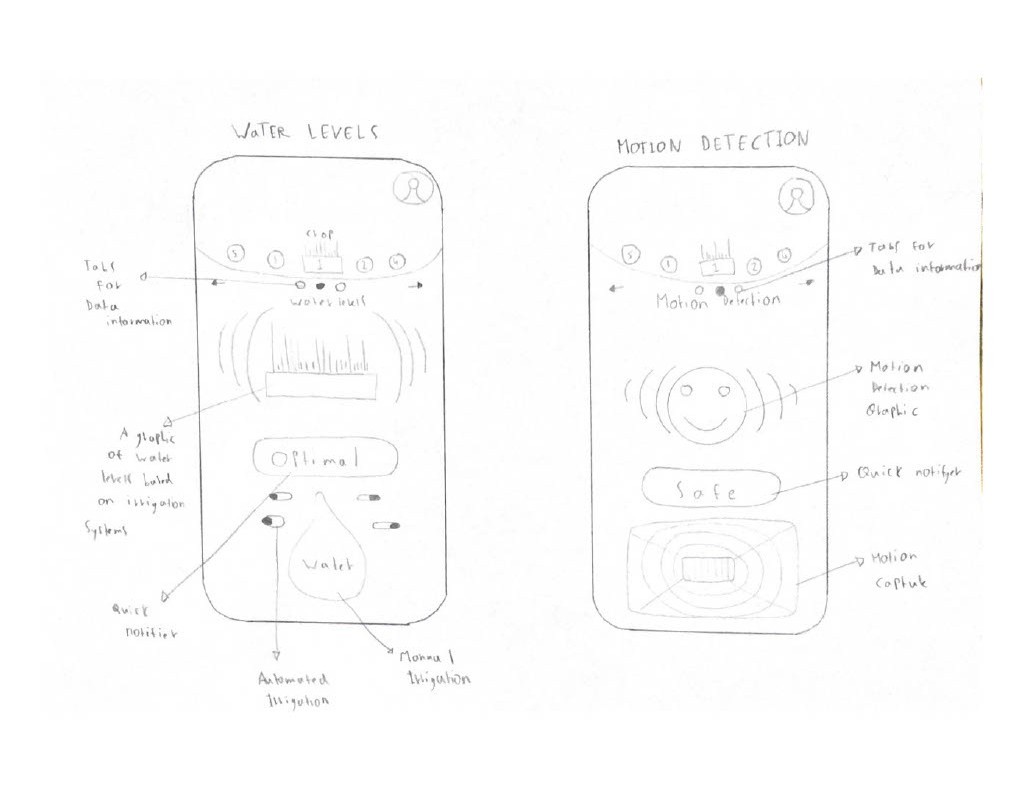
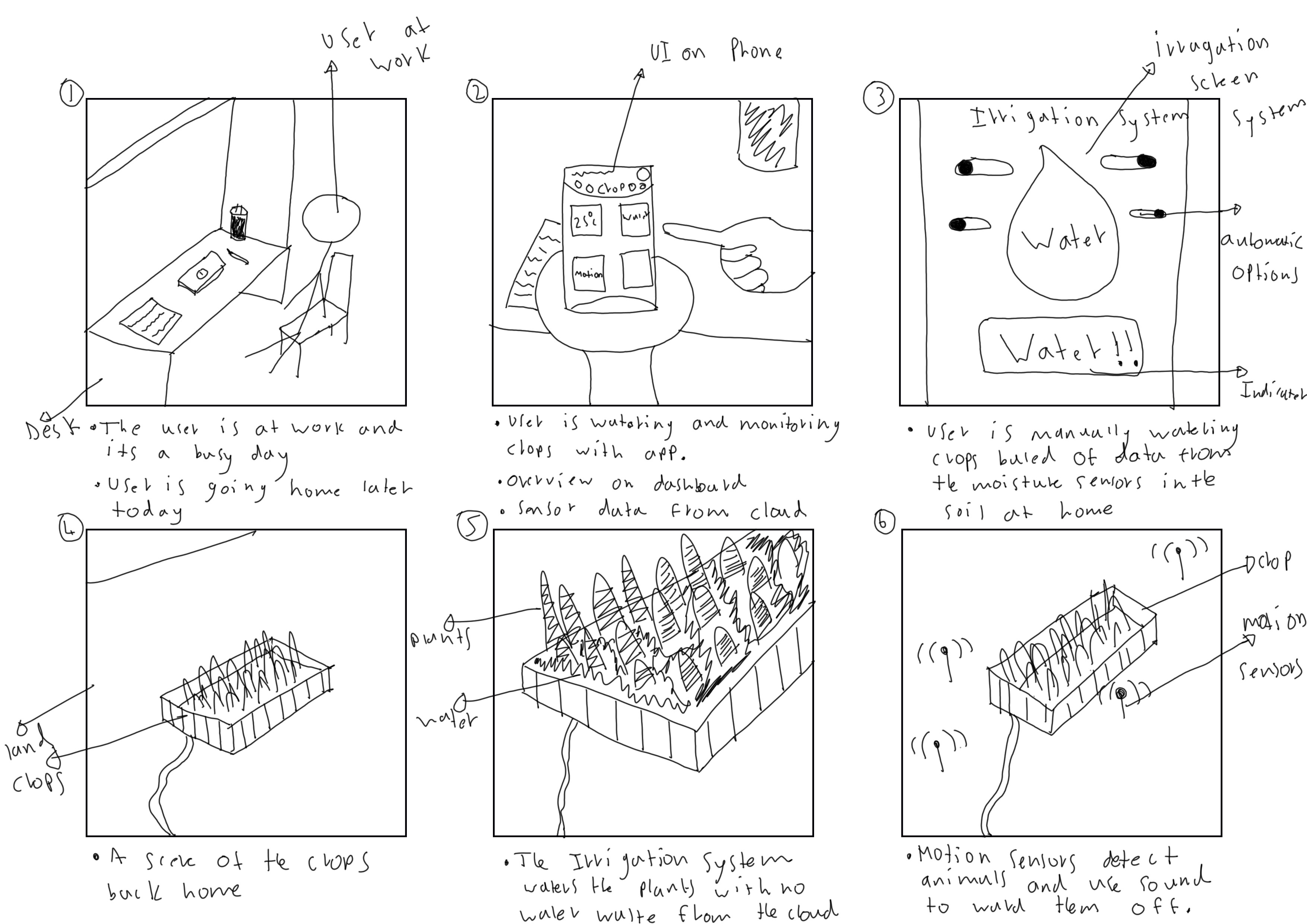
I created a storyboard and task flow diagram, which helped to visualise the key path scenario I had set for the personas. From these diagrams, I could then create sketches of the phone app, dashboard, heating & water systems, and noise detection. This gave a clear idea of what the screens could look like. Wireframes could then be developed from these, which further solidified the sketches as visual elements.


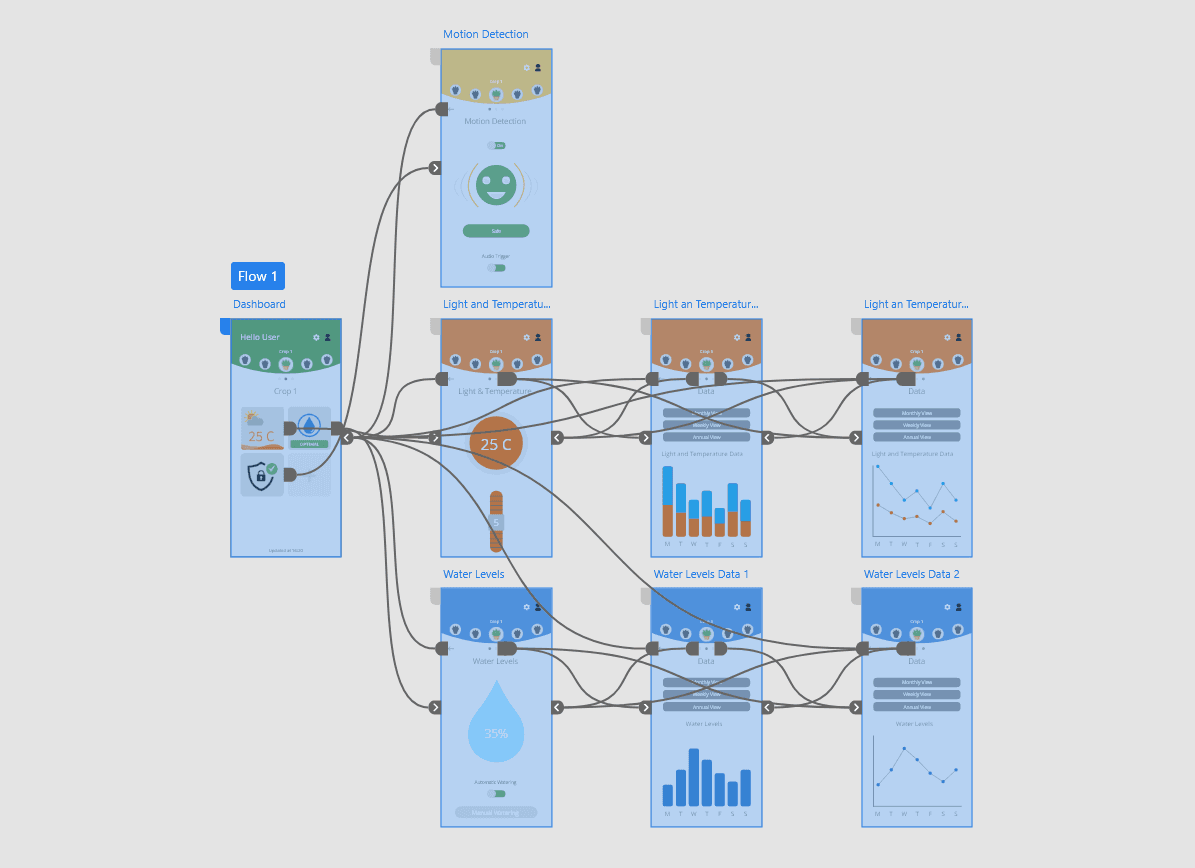
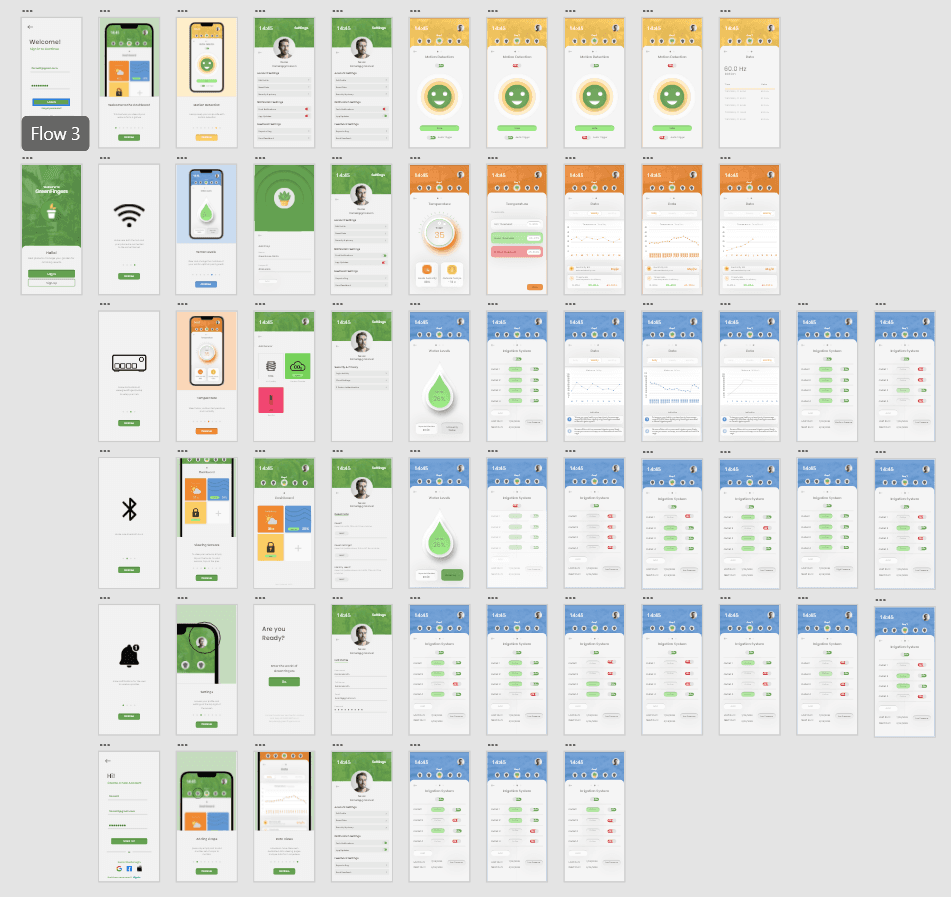
Later on in the project, I entered the iterative design stage, composed of low-medium-high fidelity prototypes. Design rigour was used to further refine the app's design and functionality, it was her that the back end of the app was developed also. The software used for this was Adobe XD; extra screens were added for micro interactions and screen changes.
This is the back end I designed for the app which can be seen in the image bellow.

Reflections
In the end, the app was a success, and user testing reported that most participants enjoyed the functionality of the app. As most of the testers were gardening enthusiasts, this gave them a new perspective on garden management, and some gave suggestions on camera systems for the crops, which was interesting to hear and note.
Haaris Ahmed
Copyright 2026 by Haaris Ahmed
Haaris Ahmed
Copyright 2026 by Haaris Ahmed
Haaris Ahmed
Copyright 2026 by Haaris Ahmed
The Solution
Sensors can be placed around the gardens, which can feed data via IoT systems to the web, then in turn to the mobile,e which can be visualised and looked at anywhere away from your home. Various systems can be connected to the app, like water irrigation and noise to warn off predators like foxes or any other wildlife. Heat controllers via the app will allow you to change the temperature or humidity of a greenhouse when needed.
The Design Process
Once research was carried out and personas were established, I began by creating a moodboard that laid out my design thinking. I used post prototyping to initially visualize the scenarios' flows and background processes.
I created a storyboard and task flow diagram, which helped to visualise the key path scenario I had set for the personas. From these diagrams, I could then create sketches of the phone app, dashboard, heating & water systems, and noise detection. This gave a clear idea of what the screens could look like. Wireframes could then be developed from these, which further solidified the sketches as visual elements.
Later on in the project, I entered the iterative design stage, composed of low-medium-high fidelity prototypes. Design rigour was used to further refine the app's design and functionality, it was her that the back end of the app was developed also. The software used for this was Adobe XD; extra screens were added for micro interactions and screen changes.
This is the back end I designed for the app which can be seen in the image bellow.